Configure the variables
All three modules read the same variables file. From the repository root, copy the example:
cp deploy/gcp/tf/global-example.tfvars deploy/gcp/tf/global.tfvars
Open deploy/gcp/tf/global.tfvars and set the values below. Leave everything else, including image
names, tags and registry coordinates, as shipped.
prefix
Prepended to every resource name, so several deployments can coexist in one project.
prefix = "example"
backend_project_id
The project that runs the service VMs, the VPC, the bucket and Cloud SQL.
backend_project_id = "silent-thunder-602119"
vm_zone and project_region
The VMs use n2d-standard-2; choose a larger N2D vm_machine_type if your workload needs
more capacity. Pick a nearby zone that offers the N2D series used by this deployment's Confidential
Space VMs. Open
Available regions and zones
and filter the machine series column:
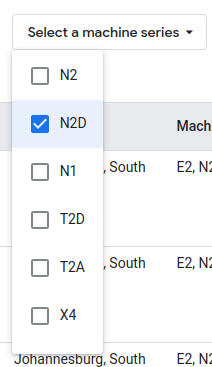
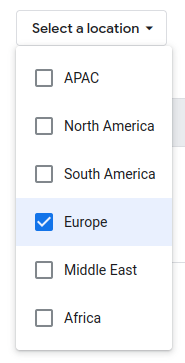
The region is the zone without its suffix. For example, zone us-west1-a is region us-west1.
project_region = "us-west1"
vm_zone        = "us-west1-a"
bucket_location
Where the keyshare storage bucket lives. Choose from the available locations.
bucket_location = "US-WEST1"
subnet_cidr
The private range for the VPC subnet. The default is fine unless it collides with something you already run.
subnet_cidr = "10.20.0.0/20"
secret_guardian_project_id
The project holding KMS and the Secret Manager secrets. For a trial deployment this can be the same
project as backend_project_id.
secret_guardian_project_id = "silent-thunder-602119"
In production these should be different projects. Whoever administers the service VMs must not be able to reconfigure KMS, or they can decrypt keyshares outside the TEE.
secret_guardian_region
Where the KMS key ring lives in the Secret Guardian project.
secret_guardian_region = "us-west1"
debug_mode
true: debug Confidential Space images, serial console enabled, container logs redirected to Cloud Loggingfalse: production images, no serial console
debug_mode = true
For production it MUST be set to false.
enable_policy_svc
Deploys policy-svc and the policy admin dashboard. Leave it off for now. Turning it on has extra
prerequisites, covered in Enable the policy engine.
enable_policy_svc = false
Credentials
The remaining values for Auth0, FaceTec and Helius ship as YOUR_* placeholders and must be
replaced before the services will work. Third-party credentials
covers the two ways to get them.