Launch the mobile app
We provide a sample React Native wallet application that connects directly to your deployment. Mobile and the two Cloud Nodes run key generation together, and each party ends up holding one keyshare of the resulting key.
Quick demo:
Install the app
Use your Android phone and scan the following QR code:

If you are using an Android emulator, download the APK directly from this URL and open it with the APK installer. Android might ask you to trust the source.
Point the app at your deployment
Open the app, choose to use your own backend, and fill in the Custom backend screen:
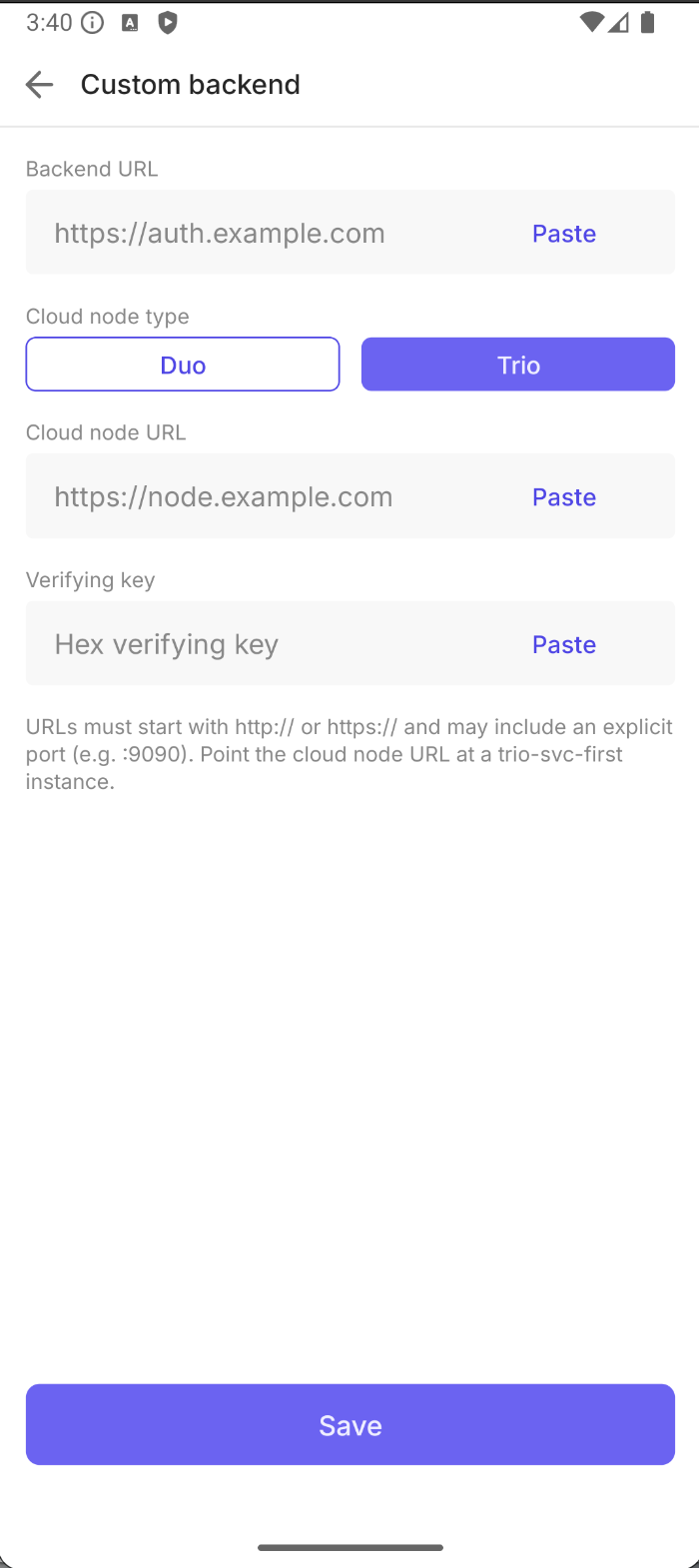
| field | value |
|---|---|
| Backend URL | Auth Service on Cloud Node 1: http://<CLOUD_NODE_1_IP>:9090 |
| Cloud node type | Trio (the screen opens on Duo, so remember to switch it) |
| Cloud node URL | MPC service on Cloud Node 1: http://<CLOUD_NODE_1_IP>:8080 |
| Verifying key | Cloud Node 1's public key: the SL_FIRST_PARTY_PUBLIC_KEY value from bootstrap-cloud-node/templates/node_2_config.json, printed as the "Mobile app" line by generate-node-keys.sh |
To get the IP, call tofu output in the cloud-node directory:
# In cloud-node directory
tofu output
It returns the IPs of both nodes, something like:
parent_instance_ips = [
 "1.2.3.4",       # Cloud Node 1
 "11.12.13.14",   # Cloud Node 2
]
Both URLs point at Cloud Node 1: it runs the MPC service and the Auth Service. Cloud Node 2 is the backup, takes part only in keygen and keyshare recovery, and the app never contacts it directly.
The verifying key is how the app authenticates the MPC messages that Cloud Node 1 signs. If it does not match the key the node actually signs with, key generation fails.
Use http://, not https://. These ports are plain HTTP in this deployment, so the app build has
to permit cleartext traffic. Put a load balancer or reverse proxy in front of the nodes for
anything beyond a test deployment.
Tap Save, then log in through the Auth0 login screen (you can use your Google account as an Auth0 social login, if it is enabled on the tenant) and create an account. The mobile and the Cloud Nodes then run the MPC protocol and generate the key.
Watch the enclave output while this happens, to see how the node interacts with the mobile:
# In deploy/aws/tf/bootstrap-cloud-node, where the SSH key was generated
ssh -i aws_key_pair ec2-user@<CLOUD_NODE_1_IP>
sudo nitro-cli console --enclave-name trio_node_nitro